Markdown Syntax
Type familiar Markdown markers—or CJK-friendly aliases—and get native Apple Notes formatting as you type.
 Notomo
 Apple Notes feel faster.
Notomo adds Markdown shortcuts, quick actions, reusable Skills, and note-aware AI to the Notes window already on your Mac.
Seven focused tools handle formatting, actions, search, and repeatable notes inside the workflow you already know.
Type familiar Markdown markers—or CJK-friendly aliases—and get native Apple Notes formatting as you type.
Improve, explain, or reformat a selection right where you’re writing.
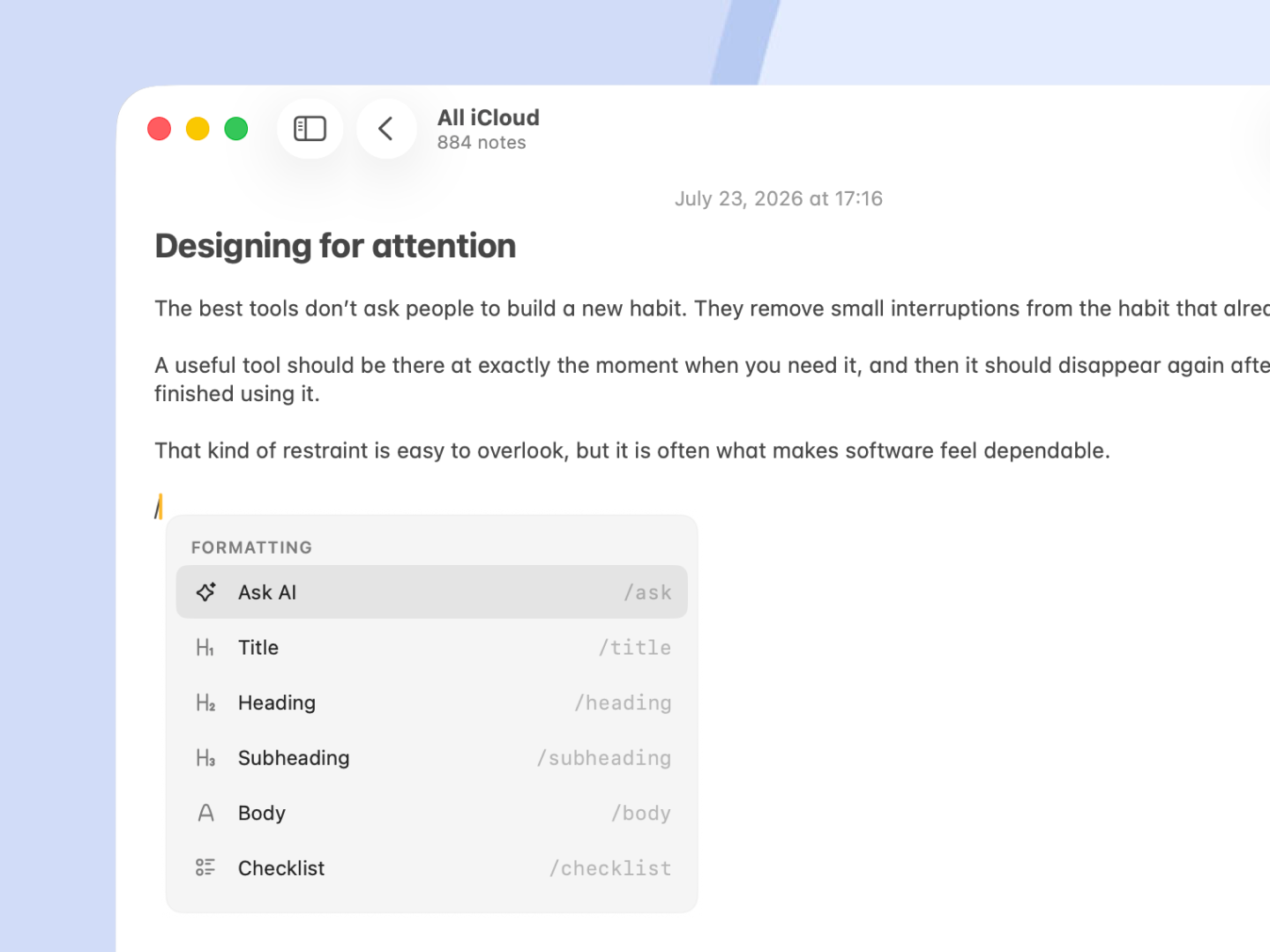
Press / to format, insert templates, or ask AI without hunting through menus.
Press ⌘O to find any note—or even a folder—and jump straight to it.
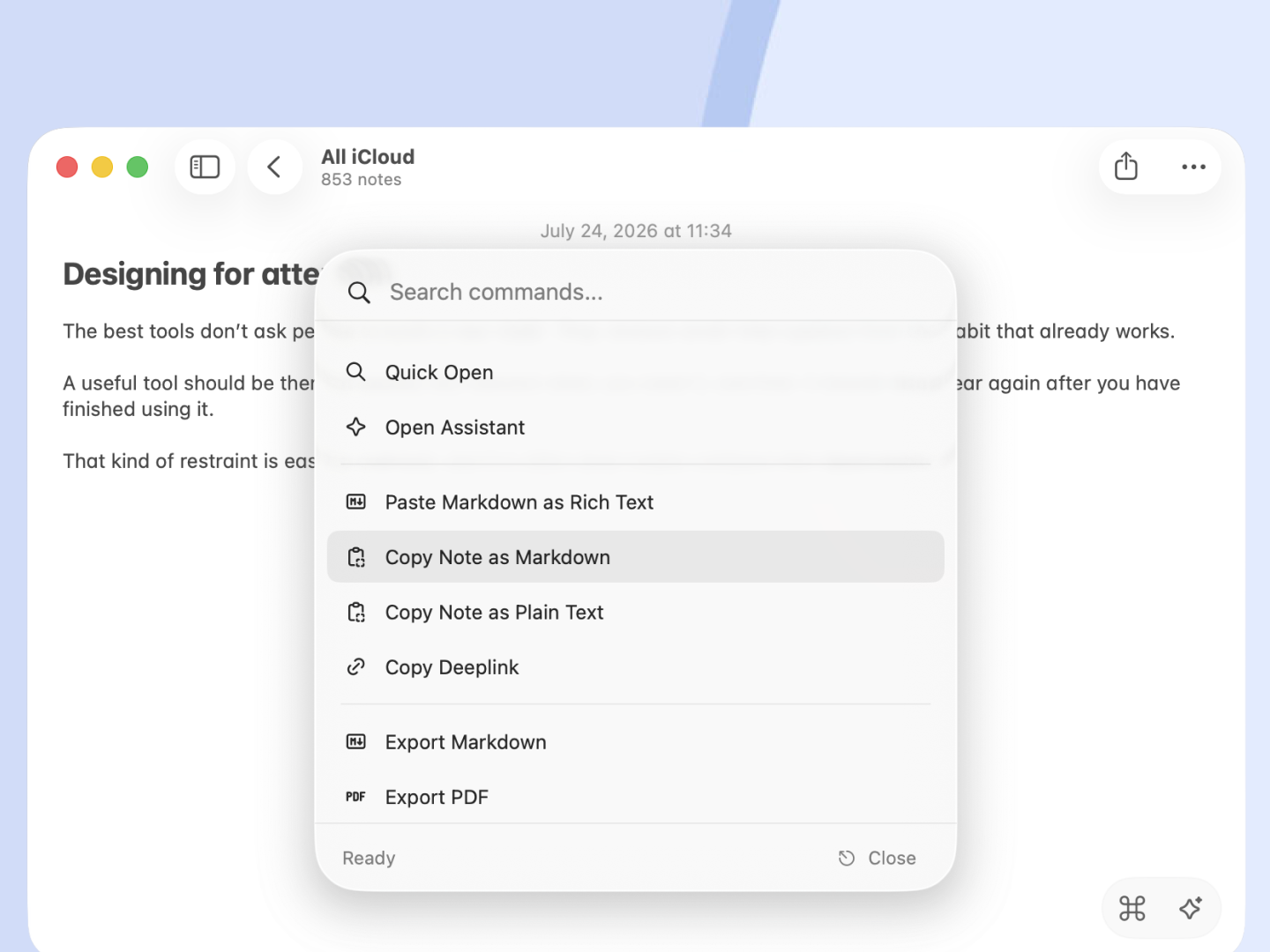
Copy, export, link, and more from one command palette.
Keep reusable templates as regular notes, then insert them with a slash command.
Open Assistant beside Apple Notes. @ the note or a Skill, pick a model, then paste the answer back where you were already writing.

How can I help you today?
Weekly product sync
Skills
ChatGPT Account
 GPT-5.6 Sol
GPT-5.5
GPT-5.6 Sol
GPT-5.5
xAI Account
 Grok 4.5
Gemini API
 Gemini Flash 3.6
GLM Coding Plan
 GLM 5.2
Make a top-level folder named Skills in Apple Notes, one note per skill. @ any of them mid-chat—no separate prompt library to maintain.
Revise the provided content to improve clarity and flow…
Fix grammar without rewriting the original voice…
Pull next steps and owners from the note…
ELI5-style explanation in clear language…
Attach the current note, a selection, or a Skill. Add images or files only when needed. When the note isn’t enough, turn on web search—source links stay on the reply.
Weekly product sync
Skills
Sign in with ChatGPT or xAI, or bring your own API keys. Models run with the note context and Skills you attach—Notomo doesn’t sell AI credits.
GPT-5.6-SolChatGPT Account
Grok 4.5xAI Account
Gemini 3.5 FlashGemini API
GLM 5.2GLM Coding Plan
 OpenRouterAccess More Models
Copy the reply, then paste it into the note you already had open—formatting included.
Pull action items from this note.
Here are the action items:
Copy, then paste into the open note
Jump to any note from anywhere. Run an Action on selected text in Mail, Safari, or wherever you’re writing.
Notomo works with Apple Notes on your Mac. It doesn’t host a copy of your notes or sync them to Cosmo Studio.
Your notes remain in the app and account where you created them.
Only the context you send goes to the provider and model you configure.
Note text, prompts, responses, and clipboard contents are never included. Anonymous product analytics can be turned off anytime.
Make the work around Apple Notes faster without moving a single note.
One-time purchase. No subscriptions.
For one Mac at a time. Activating on a new Mac replaces the previous activation.
No. Apple Notes remains where your notes live. Notomo adds commands and AI workflows around it and does not create a replacement notes database.
Notomo requires macOS 15 or newer, Apple Notes, and the macOS permissions needed to read the active Notes context and place results back into it.
Yes. Notomo includes a 30-day free trial. You can buy a license at any time to keep using it on one Mac at a time.
No. Early Bird pricing is $12.99, $7 off the regular $19.99 price, for one Mac at a time.
Yes. Notomo does not include AI credits. Connect ChatGPT or a supported provider and choose the model in Settings.
Notomo uses Accessibility and Apple Events to understand the active Apple Notes window, place panels near your work, and return results to the expected location.